Online safety for little ones
Screens arrive earlier than most of us planned. Here is how to set a calm, workable family agreement — and what to say when something upsetting appears on the screen.
Start with the agreement, not the rules
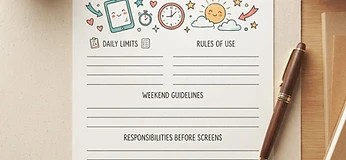
Children co-operate with plans they helped make. Sit down together, fill in the Family Screen-Time Agreement, and let your child choose one of the swaps. A plan with their handwriting on it survives far longer than one you announce.
Keep the conversation boring and regular
Ask about the screen the same way you ask about lunch — casually, often, without alarm. "What was funny today?" opens more doors than "What were you watching?"
If something upsetting appears
- Stay curious rather than alarmed: "That sounds strange — can you show me?"
- Thank them for telling you. That reaction is what you want them to repeat.
- Deal with the screen afterwards, not in the moment.
- Report anything that involves a child to the platform and, where appropriate, the authorities.
What we do here
Our own site collects nothing about your child, runs no advertising and uses no third-party trackers. The read-along stories run in your browser — nothing your child taps, reads or listens to is sent to us.
Stories to read together